


Google Workspace vs. Microsoft 365: Small Business Office Suites
Navigating the complexities of digital tools is a critical challenge for any small business owner aiming to enhance operational efficiency and foster growth. This article delves into a detailed comparison of two leading productivity suites, Google Workspace and Microsoft 365, examining their features, benefits, and suitability for small business needs. By providing an in-depth analysis, we aim to equip you with the knowledge to make an informed decision about which office suite will best serve your organization’s unique requirements.
Introduction to Office Suites
In today’s fast-paced digital landscape, an effective office suite is no longer a luxury but a fundamental necessity for any small business striving for productivity and seamless communication. These integrated software packages provide a comprehensive array of tools designed to streamline daily operations, from document creation and spreadsheet management to email and collaborative platforms. The right office suite can significantly enhance efficiency, facilitate real-time collaboration among team members, and ensure secure data management, all of which are crucial for maintaining a competitive edge and fostering sustainable growth within a small business environment.
What is Google Workspace?
Google Workspace, formerly known as G Suite, is a comprehensive cloud-based productivity suite developed by Google, specifically designed to empower small businesses with a robust set of tools. This integrated platform offers a range of applications including Gmail for professional business email, Google Docs for word processing, Google Sheets for spreadsheets, and Google Slides for presentations. A key advantage of Google Workspace is its strong emphasis on real-time collaboration, allowing multiple users to work on the same document simultaneously from any location. Furthermore, it incorporates Google Meet for video conferencing, Google Drive for cloud storage, and Google Calendar for scheduling, all unified under a single, user-friendly interface that simplifies workflow and enhances team productivity.
What is Microsoft 365?
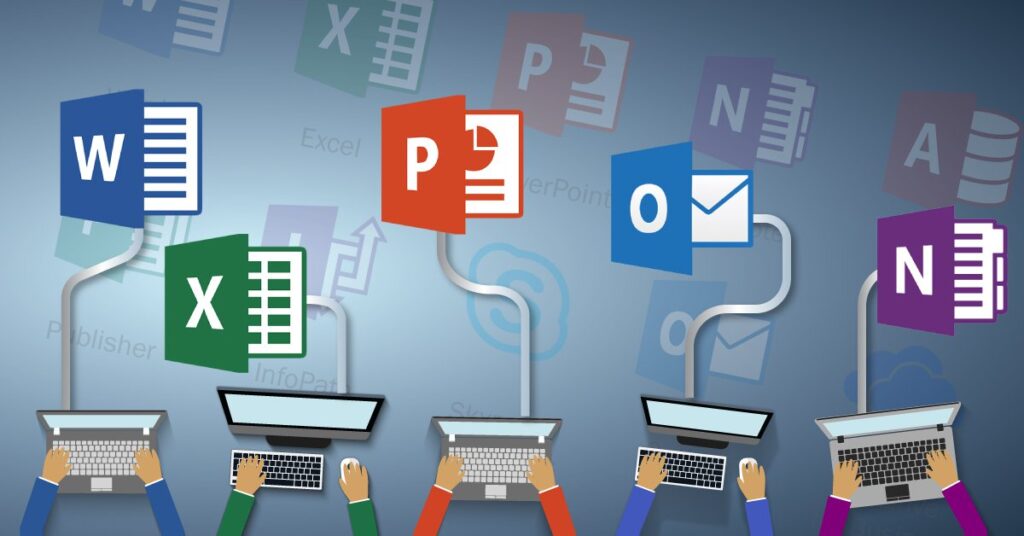
Microsoft 365, previously known as Office 365, is Microsoft’s subscription-based productivity suite that combines the familiar desktop applications of Microsoft Office with cloud services, making it an incredibly versatile office suite for businesses of all sizes, including small businesses. It encompasses widely used tools such as Word, Excel, PowerPoint, and Outlook for business email, providing a robust and familiar environment for most users. Beyond these core applications, Microsoft 365 also includes cloud storage with OneDrive, collaboration features through Microsoft Teams, and advanced security and compliance options. Its hybrid nature allows users to work both online and offline, ensuring continuous productivity regardless of internet connectivity, thereby catering to diverse business needs and preferences.
Importance for Small Businesses
For small businesses, the selection of the right office suite is paramount, directly impacting their ability to operate efficiently, collaborate effectively, and grow sustainably. Both Google Workspace and Microsoft 365 offer powerful tools that can transform how a small business manages its daily tasks, from creating professional documents and managing complex spreadsheets to fostering seamless communication through business email and video conferencing. An effective office suite allows small businesses to enhance productivity per user, reduce operational costs by leveraging cloud-based solutions, and improve data security. The choice between Google Workspace vs. Microsoft 365 often hinges on specific business needs, existing infrastructure, and the preferred working style, making a detailed comparison essential for informed decision-making.
Comparison of Features

Productivity Tools
When comparing the core productivity tools, both Google Workspace and Microsoft 365 offer robust solutions essential for any small business. Google Workspace provides Google Docs for word processing, Google Sheets for spreadsheets, and Google Slides for presentations, all designed with cloud-native functionality and strong real-time collaboration features. These applications are highly accessible and focus on seamless online work. Conversely, Microsoft 365 includes the familiar desktop applications of Microsoft Word, Excel, and PowerPoint, which are renowned for their extensive feature sets and offline capabilities. The choice often comes down to a preference for cloud-first simplicity and real-time collaboration (Google Workspace) versus rich desktop functionality and offline access (Microsoft 365).
Collaboration Features
Collaboration is a cornerstone for modern small business operations, and both suites excel in this area, albeit with different approaches. Google Workspace is built from the ground up for real-time collaboration, allowing multiple users to simultaneously edit documents, spreadsheets, and presentations with changes visible instantly. Tools like Google Meet facilitate video conferencing and screen sharing, while Google Drive provides integrated cloud storage for shared files.
Microsoft 365 offers robust collaboration through Microsoft Teams, which integrates chat, video meetings, and file sharing, along with co-authoring features in Word, Excel, and PowerPoint documents stored in OneDrive. While Google Workspace’s real-time capabilities are often perceived as more fluid, Microsoft 365’s integrated environment with Microsoft Teams offers a comprehensive hub for communication and project management.
Business Email Solutions
A professional business email solution is vital for small businesses to establish credibility and ensure efficient communication. Google Workspace offers Gmail for business, which provides a familiar, intuitive interface with advanced spam filtering, ample storage, and seamless integration with other Google Workspace tools like Calendar and Drive. It allows businesses to use their own domain name, creating a professional online presence.
Microsoft 365, on the other hand, provides Outlook for business email, which is highly regarded for its robust features, sophisticated organizational tools, and strong integration with the Microsoft Office suite. Both solutions offer reliable uptime and advanced security features, including multi-factor authentication, ensuring that business communications are secure and professional. The decision often hinges on existing familiarity with either Gmail or Outlook interfaces and their respective ecosystems.
Google Workspace vs. Microsoft 365: Pricing and Plans
When comparing Google Workspace vs Microsoft Office 365, pricing is often one of the biggest deciding factors for businesses. While both productivity suites offer flexible subscription models, the real value goes far beyond the monthly cost. Features such as cloud storage, business email, collaboration tools, desktop applications, security, and scalability all contribute to the overall cost and long-term return on investment.
Whether you’re a startup, growing company, or one of many larger businesses, understanding the differences in pricing plans, included features, and business capabilities will help you determine which solution is right for your business.
Cost Analysis for Small Businesses

For most small businesses, affordability and functionality must go hand in hand. Both Google Workspace and Office 365 provide multiple subscription tiers designed to accommodate different business sizes and requirements.
While both platforms charge on a per-user basis, the included features vary considerably between plans.
Google Workspace Pricing
Google Workspace offers several business-focused subscription tiers that scale as your organization grows.
Most Google Workspace plans offer:
Professional Gmail with a custom business email address
Google Drive cloud storage
Google Meet video conferencing
Google Calendar
Google Docs, Sheets, and Slides
Security and administrative controls
As businesses grow, higher-tier plans introduce:
Increased cloud storage
Advanced endpoint management
Enhanced security
Data Loss Prevention (DLP)
Greater administrative controls
Premium collaboration features
One advantage is that Google Workspace includes nearly every productivity tool within a single browser-based ecosystem, making onboarding straightforward for new Workspace users.
Microsoft 365 Pricing
Microsoft Office 365 (now known as Microsoft 365) also offers several business subscriptions designed for different company sizes.
Popular business plans include:
| Microsoft 365 Plan | Best For |
|---|---|
| Business Basic | Businesses focused on cloud collaboration |
| Business Standard | Companies needing both web and desktop Office apps |
| Business Premium | Organizations requiring advanced security and device management |
Unlike Google’s browser-first approach, Microsoft 365 comes with access to both cloud services and traditional desktop Office apps, depending on the selected plan.
For businesses that rely heavily on Word, Excel, PowerPoint, and Outlook, Microsoft products may provide greater familiarity and functionality.
Pricing Structures Compared
Although pricing changes over time, both companies use similar subscription models.
Key considerations include:
Monthly or annual billing
Storage limits
Security features
Collaboration tools
Desktop software availability
Administrative controls
Comparing pricing structures carefully helps businesses avoid paying for features they may never use.
Free Trials and Entry Plans
Before committing to either productivity suite, businesses can explore each platform through a free trial.
Testing both services allows teams to evaluate workflows before investing in long-term subscriptions.
Google Workspace Free Trial
Google offers a free trial that allows businesses to experience:
Gmail
Google Meet
Google Drive
Google Calendar
Google Docs
Google Sheets
This provides an opportunity to determine whether Google Workspace works well for your existing business processes.
Setting up a Workspace account is simple, allowing organizations to begin collaborating almost immediately.
Microsoft 365 Free Trial
Microsoft also offers trial access to many business subscriptions.
Businesses can test:
Outlook
Teams
Word
Excel
PowerPoint
OneDrive
This gives companies an opportunity to explore both browser-based tools and installed desktop software before purchasing.
Entry-Level Business Plans
Both providers offer affordable plans for startups and small businesses.
Entry-level plans offer essential features including:
Professional email
Shared calendars
Cloud storage
Video meetings
Basic collaboration tools
For businesses with modest requirements, these plans provide an excellent starting point while remaining easy to upgrade as the company grows.
Long-Term Value Assessment
Choosing between Office 365 vs Google Workspace isn’t simply about today’s subscription price—it’s about selecting the platform that delivers the greatest long-term value.
The best choice depends on your workflows, employees, software preferences, and future business goals.
Collaboration and Productivity
One of Google’s biggest strengths is cloud collaboration.
Google Workspace allows multiple users to work on the same document simultaneously without worrying about version control.
Many businesses find that Google Workspace focuses heavily on simplicity, browser-based productivity, and real-time collaboration.
In contrast, Microsoft also offers excellent collaboration through Microsoft Teams, OneDrive, and SharePoint while maintaining powerful desktop applications.
Desktop Applications vs Cloud Apps
One of the biggest differences in the Microsoft 365 vs Google Workspace debate is software availability.
While Google apps operate almost entirely in the browser, Microsoft provides downloadable desktop applications.
Some businesses prefer browser-based software because:
Updates happen automatically.
Employees can work from anywhere.
Setup is minimal.
Others prefer desktop software for advanced functionality.
Although Microsoft Office 365 offers feature-rich desktop applications, Google Workspace is much easier for many teams to deploy and manage, particularly those embracing cloud-first workflows.
Security and Business Features
Security is another important consideration.
Higher-tier subscriptions from both providers include advanced protection features.
Microsoft offers:
Advanced threat protection
Device management
Identity management
Endpoint security
Meanwhile, Google Workspace also provides:
Two-factor authentication
Advanced administrator controls
Secure cloud storage
Data Loss Prevention
AI-powered security monitoring
For companies operating in regulated industries, these enterprise-level features become increasingly valuable.
Scalability
As your organization grows, both platforms scale exceptionally well.
Whether you add five employees or five hundred, either Google or Microsoft allows administrators to add users quickly while expanding storage and security capabilities.
This flexibility makes both productivity suites suitable for startups, medium-sized businesses, and larger businesses alike.
Side-by-Side Comparison
The following comparison chart highlights some of the major differences between the two platforms.
| Feature | Google Workspace | Microsoft 365 |
|---|---|---|
| Primary Focus | Cloud collaboration | Desktop and cloud productivity |
| Business Email | Gmail | Outlook |
| Collaboration | Excellent real-time editing | Strong Teams integration |
| Desktop Applications | Browser-first | Full Office desktop apps (selected plans) |
| Cloud Storage | Google Drive | OneDrive |
| Ease of Setup | Very simple | Moderate |
| Best For | Cloud-first businesses | Businesses relying on Office applications |
This side-by-side comparison demonstrates that neither solution is objectively better—the ideal platform depends entirely on your business workflows.
Which Platform Offers the Best Value?
The ongoing debate between Office 365 vs Google Workspace ultimately comes down to how your organization works.
If your team spends most of its time collaborating online, using Google may be the simpler option. Many businesses believe Google Workspace is better for organizations prioritizing browser-based productivity, fast deployment, and real-time collaboration.
On the other hand, businesses already using Microsoft software or relying heavily on Excel, Word, and Outlook may benefit more from using Microsoft 365. Because Office 365 comes with powerful desktop applications, it’s often the preferred solution for companies requiring advanced document editing or complex spreadsheets.
Some organizations may feel they need Google Workspace because of its seamless collaboration, while others prefer Microsoft’s extensive ecosystem of enterprise applications.
Ultimately, when comparing Google Workspace and Microsoft Office 365, there is no universal winner. The one is best for your business depends on your budget, workflows, preferred applications, and future growth plans. Whether you’re evaluating Google Workspace vs Office 365, 365 vs Google Workspace, or either Google Workspace vs Microsoft 365, carefully reviewing your use cases, feature requirements, and overall cost will help you invest in the productivity suite that delivers the greatest long-term value in today’s competitive business world.
Ease of Use and User Experience

User Interface Comparisons
When evaluating Google Workspace vs. Microsoft 365, the user interface plays a crucial role in daily productivity for any small business. Google Workspace is often praised for its clean, intuitive, and minimalist design, which many users find to have a lower learning curve. Its web-first approach means the interface is consistent across different devices, fostering a seamless user experience.
Conversely, Microsoft 365, with its deep roots in desktop applications like Microsoft Word and Excel, offers a more feature-rich and sometimes more complex interface. While the familiarity of Microsoft Office is a significant advantage for many, new users might find the extensive options daunting initially. Both aim for ease of use, but their design philosophies cater to slightly different user preferences.
Accessibility and Offline Functionality
Accessibility and offline functionality are key considerations for a small business, and both Google Workspace and Microsoft 365 address these with varying strengths. Google Workspace is primarily cloud-based, offering excellent real-time collaboration and accessibility from any device with an internet connection. While it does provide offline access for Google Docs, Google Sheets, and Google Slides, it’s not as robust as Microsoft 365’s native offline capabilities.
Microsoft 365 excels in offline functionality, allowing users to work on full-featured desktop versions of Word, Excel, and PowerPoint without an internet connection, syncing changes once reconnected. For businesses that frequently operate in areas with unreliable internet, Microsoft 365’s strong offline support often proves to be a significant advantage, ensuring continuous productivity per user.
Learning Curve for New Users
The learning curve for new users is an important factor when a small business adopts a new productivity suite. Google Workspace is generally considered to have a gentler learning curve, particularly for users already familiar with Google’s ecosystem. Its intuitive, streamlined interfaces for applications like Google Docs and Google Sheets, coupled with robust real-time collaboration features, make it relatively easy for new team members to get up to speed.
Microsoft 365, while familiar to many existing Microsoft Office users, can present a steeper learning curve for those unfamiliar with its extensive features and numerous applications within the suite. The sheer depth of functionality in applications like Excel or Microsoft Teams can be overwhelming initially, though Microsoft does offer extensive tutorials and support to assist new users.
Alternatives and Considerations

Alternatives to Microsoft 365
While Microsoft 365 and Google Workspace dominate the productivity suite market for small business, it’s worth noting that there are viable alternatives, although they may not offer the same breadth of features or comprehensive real-time collaboration. For businesses primarily focused on document creation and basic spreadsheets, open-source options like LibreOffice or Apache OpenOffice provide a free, albeit less integrated, solution. Zoho Workplace is another strong contender that offers a suite of applications including email, word processing, and project management tools, often at a competitive price point. However, these alternatives typically require a greater comp romise on advanced features, seamless integration, or the widespread familiarity that both Google Workspace and Microsoft 365 offer, which are crucial for enhancing productivity per user in a bustling small business environment.
Comparing Google Workspace vs. Microsoft 365 for Specific Business Needs
Choosing between Google Workspace vs. Microsoft 365 ultimately hinges on a small business’s specific business needs. For a startup prioritizing agility, extensive real-time collaboration, and a cloud-first approach with minimal IT overhead, Google Workspace often shines. Its intuitive interface, seamless integration of Google Docs, Google Sheets, and Google Meet, and robust Google Workspace offer a highly collaborative environment. Conversely, a small business heavily reliant on advanced spreadsheet functionality in Excel, intricate document formatting in Word, or requiring strong offline capabilities due to field operations, might find Microsoft 365 a better fit. Microsoft 365’s robust desktop applications, combined with Microsoft Teams for communication and OneDrive for storage, cater to those who value powerful individual applications alongside cloud benefits. Evaluating the unique requirements of your small business and weighing the strengths of Google Workspace and Microsoft 365 carefully is crucial.
Final Thoughts on Choosing the Best Suite
In conclusion, selecting the optimal office suite for business, whether Google Workspace or Microsoft 365, is a strategic decision for any small business. Both productivity suites offer robust tools for business email, real-time collaboration, and document creation, each with its own strengths. Google Workspace excels in cloud-native simplicity and real-time co-editing, making it ideal for agile teams prioritizing ease of use and seamless web-based integration. Microsoft 365 provides powerful desktop applications, comprehensive features in Excel and Word, and strong offline functionality, appealing to businesses needing advanced functionalities and traditional software familiarity. Ultimately, the best choice depends on a detailed assessment of your specific business needs, budget (including the cost per user), existing infrastructure, and preferred working style, ensuring the chosen suite genuinely enhances productivity and supports your small business’s growth objectives.
